Site Planning

I leveraged the built in Site Planner from Meshtastic to get an idea of the coverage using the Solar powered Wisblock at roughly 7 meters or 20 feet over my shop at the farm.
This first image shows the coverage and signal strength of the recieving Meshtastic Node if it was the height of a handy talky or Mesh pocket node that someone would either have on their person or maybe mobile in their vehicle.
Notice the beginning definition of the terrain and the gaps in coverage from the shadow of higher hills.
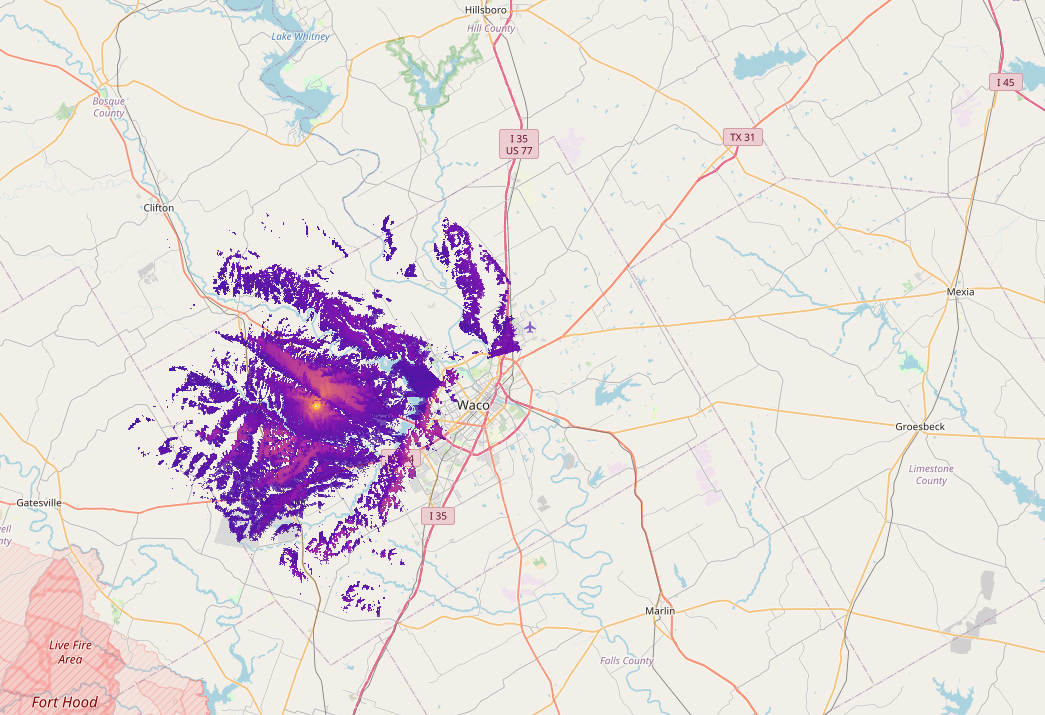
The image below similuates a recieving Mesh node that is mounted outside, similar to my setup here, where the antenna is mounted higher of the ground at maybe 7 meters or so.
Notice the coverage starts to fill in the gaps, but doesn't really expand the coverage area much.
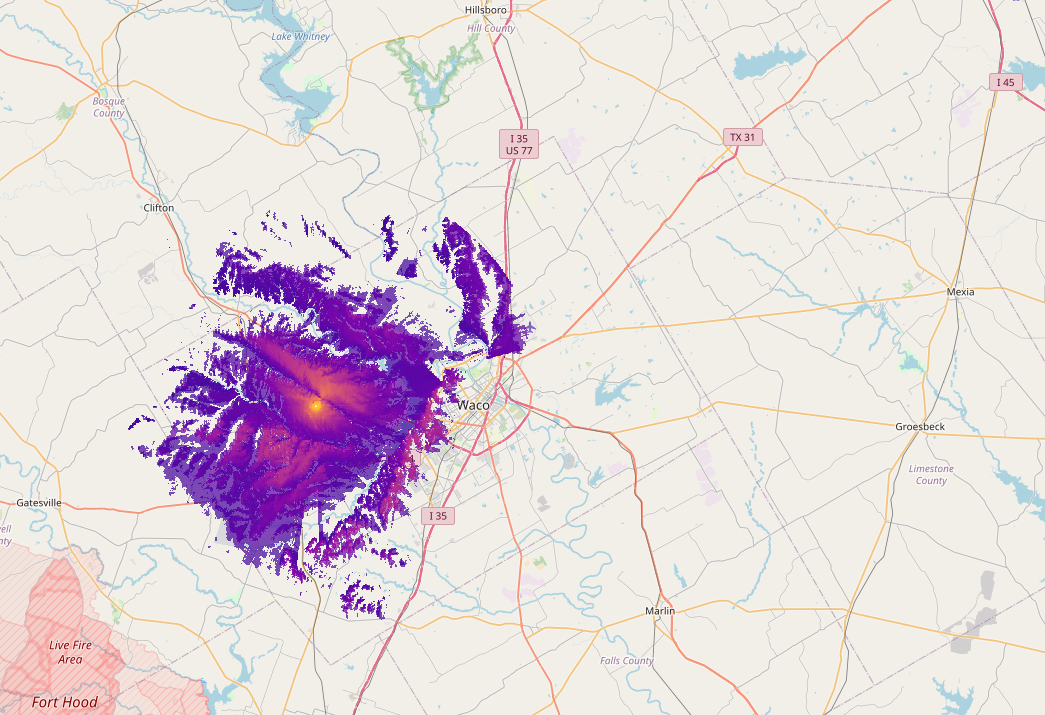
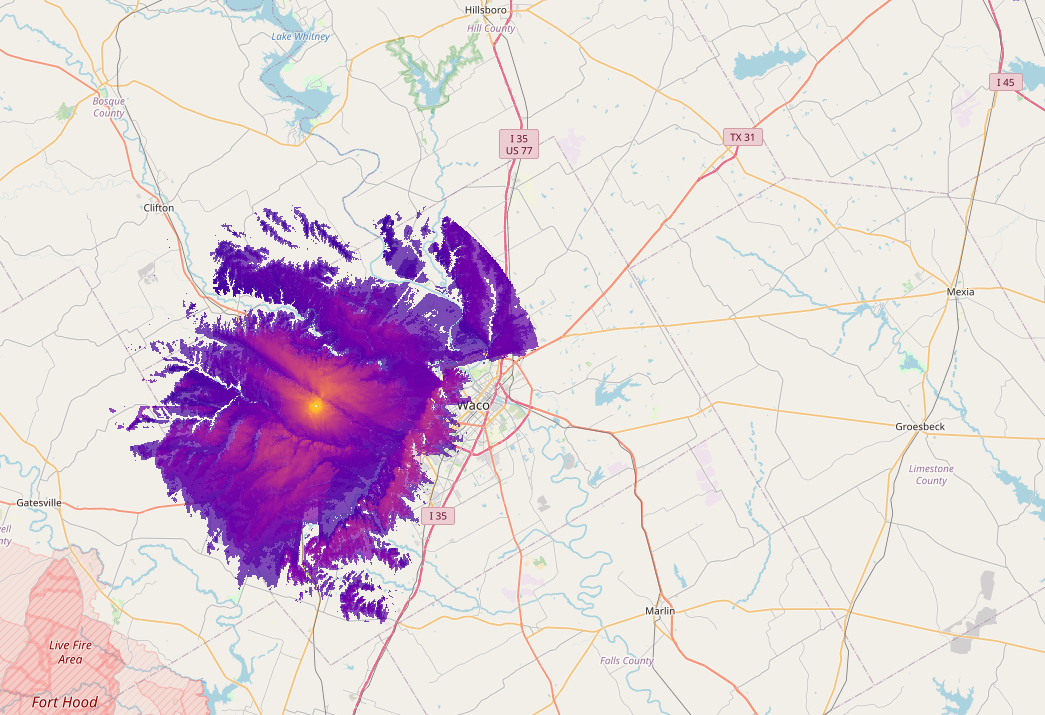
The last image here shows the area of coverage and signals to Meshtastic nodes in Router config at 45 feet or 15 meters high.
Notice the increase in singal strength and a much more complete coverage area, but still very limited coveage of Waco.
How I run range tests
- Fixed node → Role = ROUTER or ROUTER_CLIENT on the roof (60 s broadcast interval for testing)
- Mobile node in the truck (LilyGo T-Echo or T-Beam)
- Pull
rangetest.csvfrom both nodes after the drive - Use the excellent python-rtmap tool by The Comms Channel (containerized by W5AWW)
My container image (works on any Linux box or even Windows WSL):
docker run -it --rm -v $(pwd):/data quay.io/brthomps/python-rtmap-amd64 /data/rangetest.csv
Example output example:
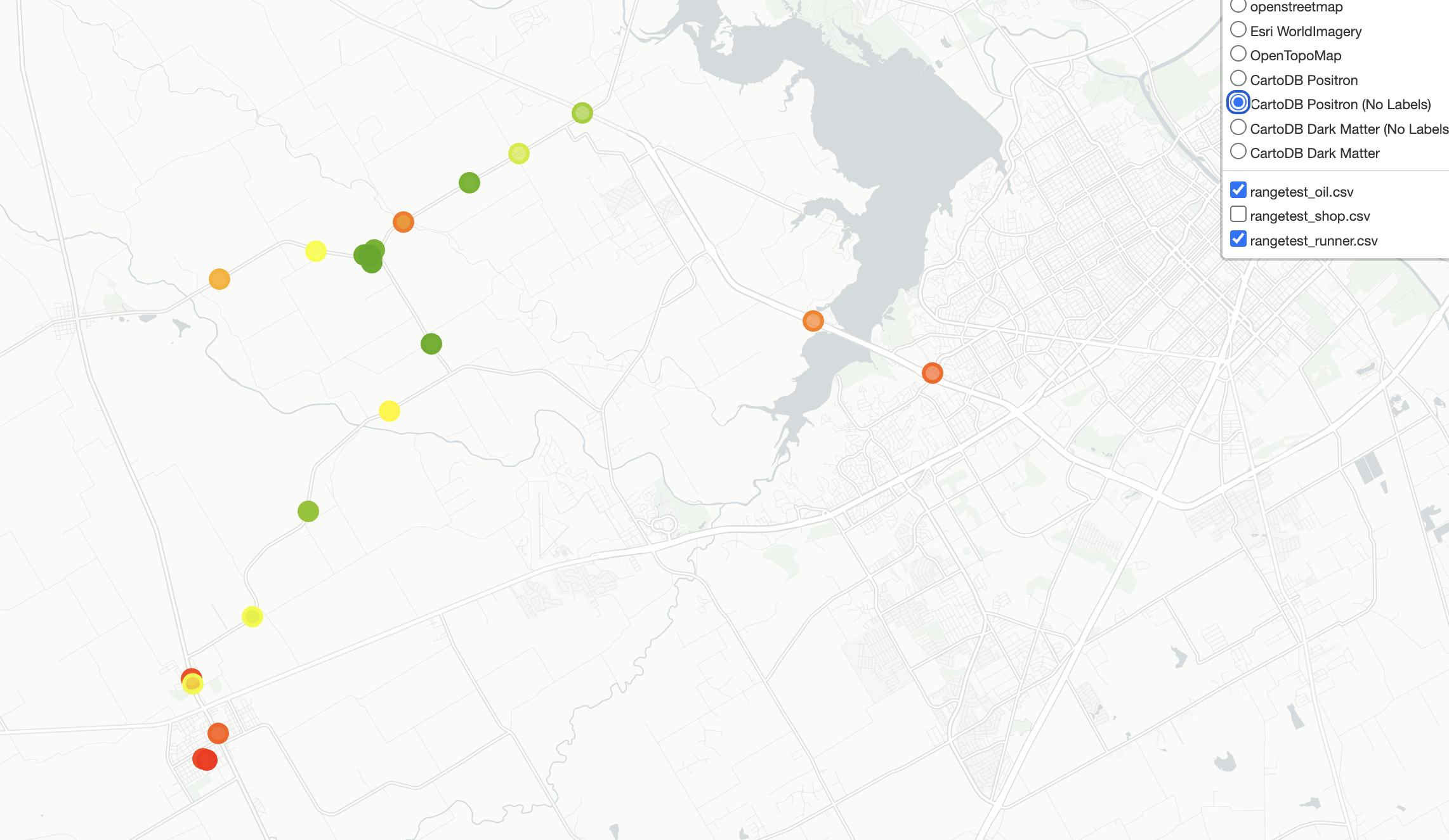
Feel free to steal the Docker image and add your own tests!